Most VTT character sheets make you pick: lock into a rules system you didn't choose, or hand-build a new sheet for every NPC, vehicle, and creature in your campaign.
Codex Cryptica splits the problem into three pieces that stay independent of each other: a Stat Template defines what fields a sheet has, Entity Stats hold the actual values for one character, and a Presentation decides how those values are arranged on screen. Build the structure once, reuse it for the whole party, then change how it looks without touching a single number.
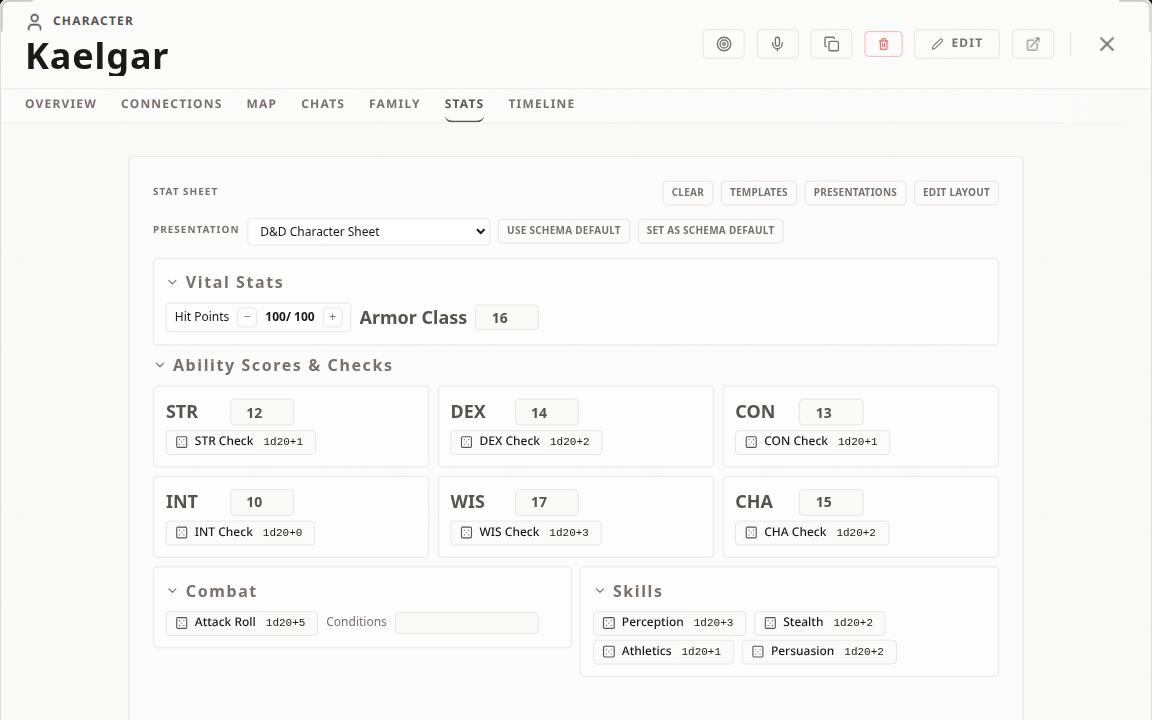
The three layers, in plain terms
- Stat Template (schema) — the shape of the sheet: which fields exist, their types, dice formulas, counter bounds. No values.
- Entity Stats — the numbers and notes for one specific character, NPC, or object. Stored with that entity, not the template.
- Presentation — how those same values are arranged and displayed: a full sheet, a compact stat block, a mobile view.
Because these are separate, switching an entity to a different presentation never touches its data, and applying the same template to three party members never makes their Hit Points or ammunition identical.
Creating a Stat Template
Open an entity, switch to its Stats tab, and choose Edit Layout. Available field types:
- Counter — values that change often (HP, spell slots, ammo, stress). Set a min, max, and step when boundaries matter.
- Number — Armor Class, initiative, difficulty, anything you edit directly.
- Text — short details like conditions or current stance.
- Long Text — abilities, traits, multiline notes.
- Heading — a collapsible section divider.
- Dice — an expression such as
1d20+5with a one-tap roll button. - Repeatable Table — rows of structured data: an inventory, a spell list, a set of attacks.
Each table column has its own type (text, number, dice, counter, or checkbox), and, as of a recent update, dice columns carry their own roll formula and counter columns their own min/max/step, so a weapon table's damage column and a conditions table's stress counter no longer fall back to the same hardcoded defaults. Rows can also link directly to an existing vault item or weapon entity instead of being typed by hand.
There is no hidden modifier system reinterpreting your fields. A Stat Sheet is a surface for your table's rules, not a replacement for them.
Reusing templates and setting defaults
When a layout feels right, open Templates and use Save current layout as.... The template becomes available to every entity in the vault, and it saves only structure (labels, field types, dice formulas, counter bounds, table columns), never the values currently filled in. A new entity starts clean.
Applying a template to an entity that already has stats asks whether to append the new fields or replace the layout entirely, so templates work equally well for fresh setup and for standardizing an in-progress campaign.
To set what new entities get automatically, go to Settings → Templates and use Default Template by Category:
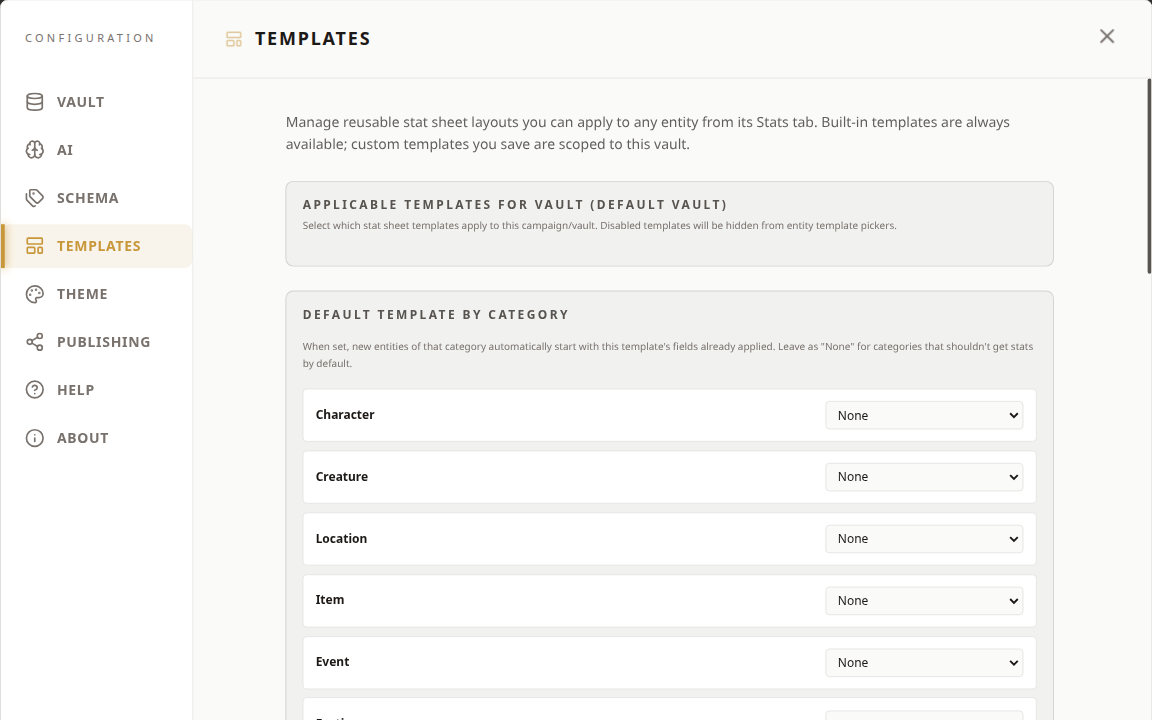
- Character → a player-facing sheet
- NPC → a compact combat sheet
- Item → an equipment sheet
- Location → a settlement or site overview
Built-in templates cover several common systems as starting points; leave a category on None to keep new entities free of Stat Sheet fields.
Filling in a character sheet
Stats live with the entity, not the template. Create or open an entity, apply a template from Templates (or start from Edit Layout directly), and enter values. Every entity, even ones sharing the same template, keeps its own independent HP, ammo, and notes. Rolling a Dice field fires it through Codex Cryptica's dice engine, and if you're in an active VTT session, the result also lands in the shared session log automatically.
Presentation Templates
Presentations don't redefine your data; they decide how the same Stats are arranged: a full sheet, a dense combat stat block for an NPC, a mobile-friendly reference, or a dashboard grouping resources into cards. Open an entity's Stats tab and use the presentation picker to switch layouts; options are limited to templates matching that Stat Sheet's schema, so a vehicle layout can't land on an NPC sheet with different fields. Switching never copies, resets, or recalculates a value: increase a counter in one view and it's updated in every other view too.
Editing a Presentation
Open Presentations from the Stats tab to manage layouts for the current schema. Built-in templates are read-only. Duplicate one or start New Template to get an editable copy.
The editor opens on a Visual Builder by default: you assemble the layout from cards. A Section card groups related fields in a grid, a Table card lays out repeatable data, and each field within a card gets its own display mode (plain inline value, a prominent badge, a current/max counter, an interactive stepper, a progress bar, a tag list, a notes area, and more). No code required for most layouts.
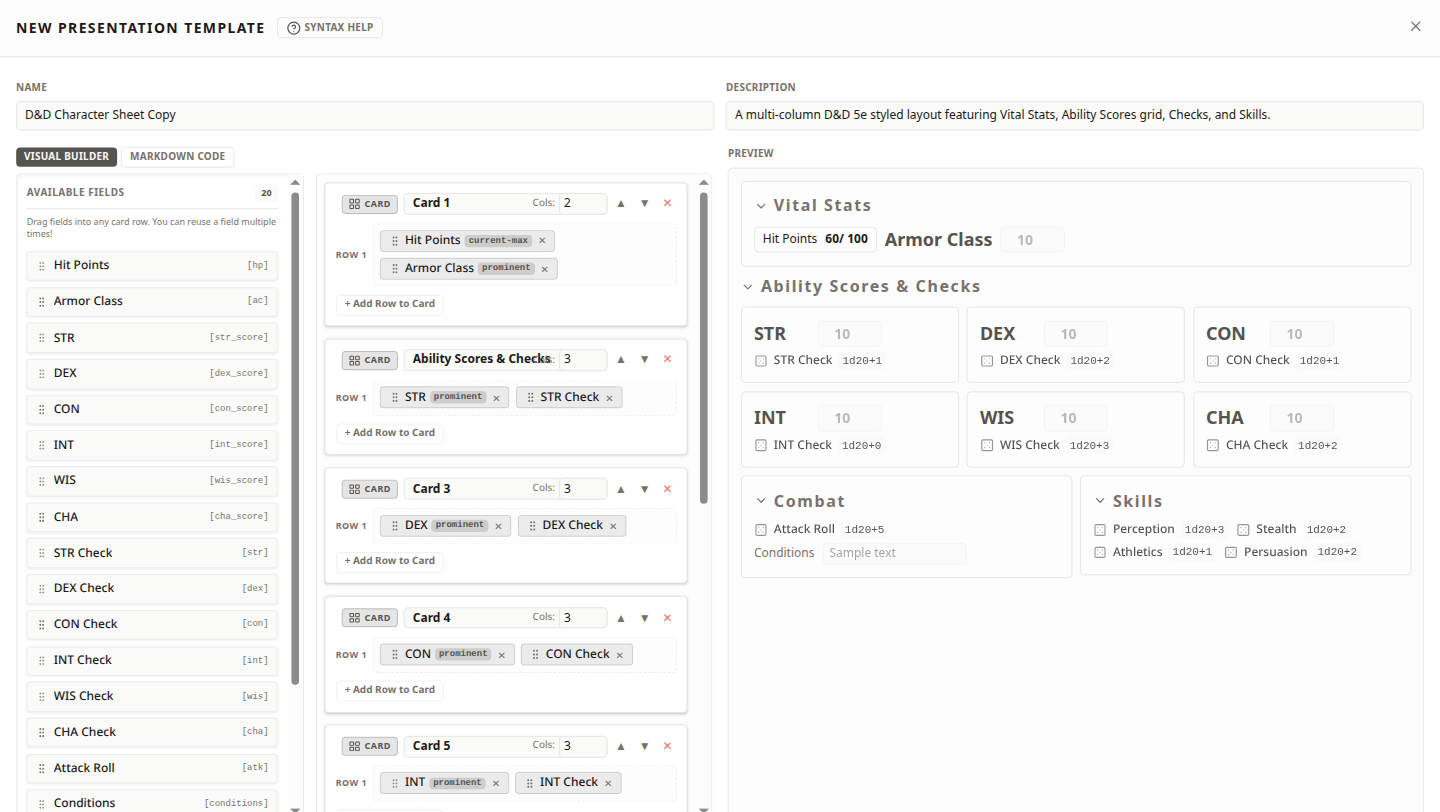
A Markdown Code tab sits alongside it for anyone who wants to write the underlying source directly: field references like {{stat.hp display="current-max"}} plus layout blocks (:::stat-group, :::section, :::card, :::row). The two tabs stay in sync: edit visually and the source updates underneath; edit the source and it reflects back into cards. It doesn't run HTML, CSS, JavaScript, or expressions, so imported layouts stay predictable.
If a template references a field that's since been renamed or removed, the affected spot is marked instead of breaking the sheet, and if a selected presentation becomes unavailable entirely, Codex Cryptica falls back to the standard Stat Sheet view. Your entity data is never at risk.
A default presentation can be set per schema, so every NPC gets the same compact stat block by default, while a recurring boss can get its own dashboard without a duplicate Stat Sheet underneath.
Import, export, and portability
Reuse means using something already available in your own vault: applying a saved template to a new entity, or picking a saved presentation from the picker. Import/export means moving a reusable definition between otherwise separate campaigns or vaults.
- Stat Templates: there's no standalone import/export file today; the transfer path is the community directory described below. Importing from the directory always creates a new local template; it never overwrites or merges into an existing one.
- Presentation Templates: export and import work directly from the Presentation manager. The exported package contains the template's name, description, target schema, and source, never entity values, vault identifiers, or local asset references. Importing into a vault with a different (but compatible-enough) schema is allowed; Codex Cryptica reports any field references that don't map to the destination schema instead of blocking the import outright.
Either way, what moves is the reusable definition, never the character sitting on top of it.
Sharing and the Community Template Directory
Stat Templates can be published to Codex Cryptica's Community Template Directory from Settings → Templates, where Vault Templates lets you browse the directory or publish templates you've saved, and Presentation Layout Templates below it holds the per-schema import/export controls:
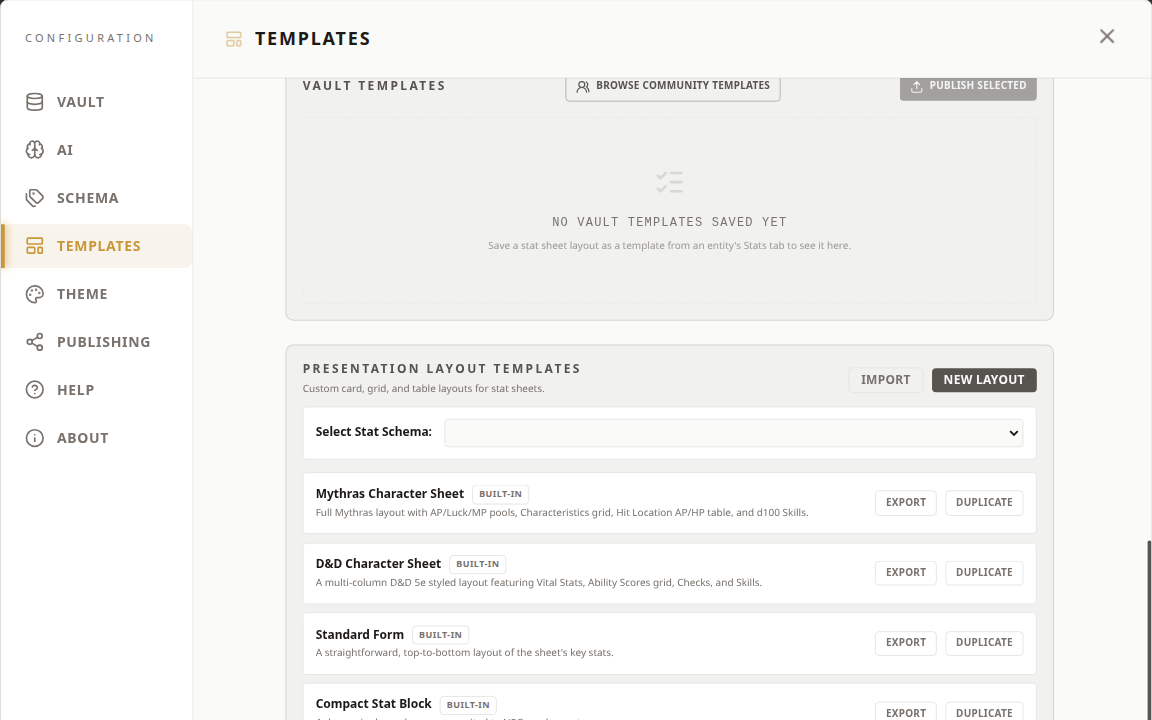
Before publishing, you choose which saved templates to share; the app shows every field and public detail for each one and confirms how many will become visible. Entity values, notes, names, vault identifiers, and local asset paths never leave your vault; only the structure does.
Publishing gives you a management key for updating or unpublishing that listing later. It's stored locally and shown once during publication, so save it somewhere safe; losing both copies means you'll need the recovery flow to reclaim the listing. Unpublishing removes it from new search results; it doesn't touch anyone's local copy.
Importing a community template creates an independent local copy in your vault. It never updates automatically when the publisher changes theirs, and it never sends your campaign data anywhere. Name conflicts and invalid packages are rejected before anything saves.
Presentation Templates don't currently have a community directory of their own, so sharing one means exporting the file and handing it to whoever needs it, the way you would a Stat Template package before this directory existed.
A worked example
Build a fantasy PC template with Counters for HP and spell slots, a Dice field for initiative, and a Repeatable Table for inventory with a configured damage-dice column. Save it, then apply it to three party members; each keeps independent values from the first session. Duplicate the built-in D&D Character Sheet presentation into your own card layout for combat, and set it as the schema default so every character gets it automatically, with each player still free to switch back to the full sheet between fights. When the template's solid, publish it to the Community Template Directory so the rest of your table, or another GM entirely, can pull it into their own vault without touching your data.
Where to go next
- Open Codex Cryptica →
- Stat Sheets help guide for the field-by-field reference
- Browse the Community Template Directory from Settings → Templates to see what other GMs have shared