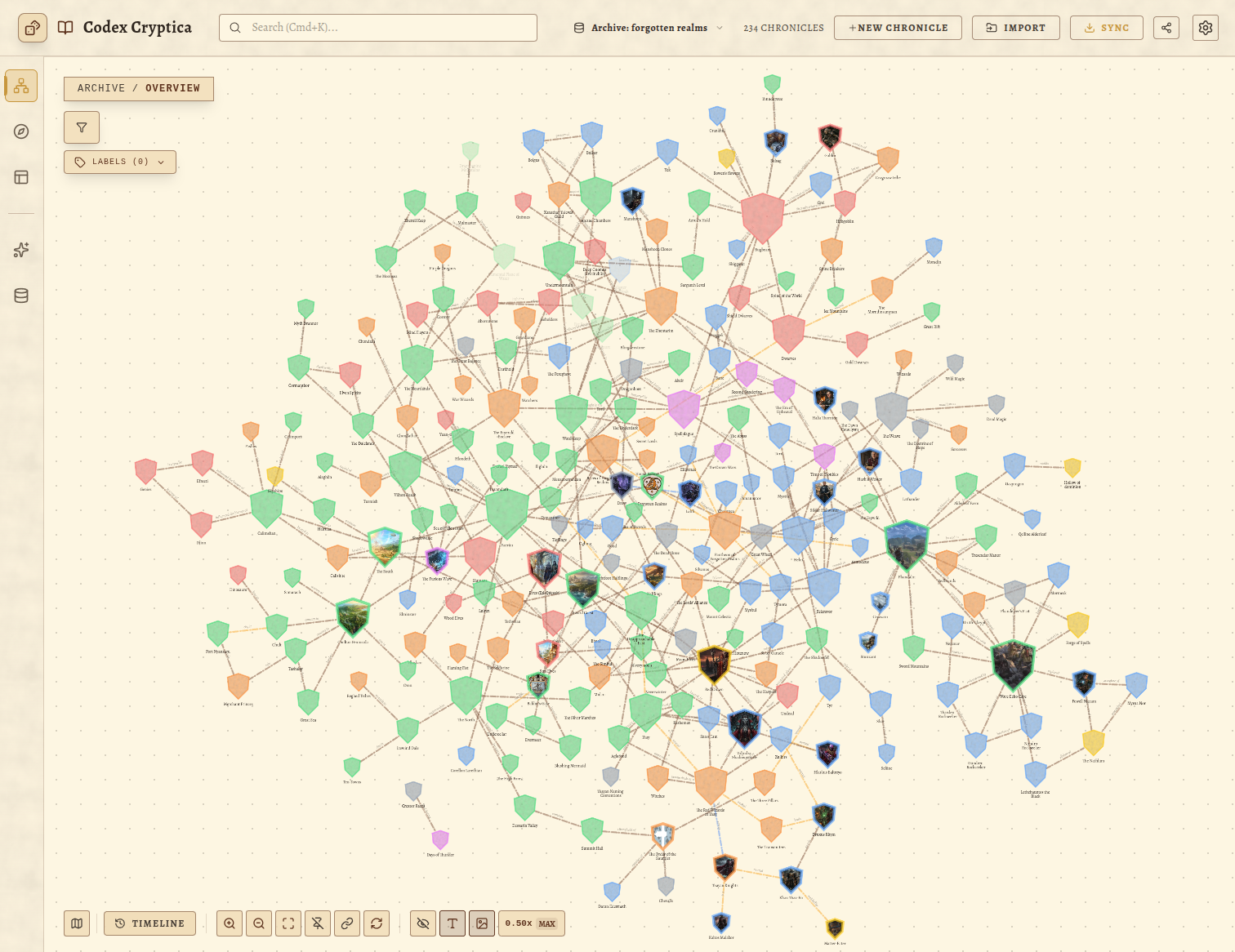
When running or building a tabletop RPG campaign, you need to think in two completely different modes depending on what you're doing.
When you're brainstorming and connecting lore, you need a spatial network—a knowledge graph that reveals how the duke's secret cult ties into the thieves' guild and the forgotten catacombs beneath the river district.
When you're auditing and prepping a live session, you need a tabular spreadsheet—a dense, structured view where you can sort by last modified, find every NPC missing a motivation, and quickly scan stat sheet attachments or connection counts.
In traditional note apps, switching between these mental models is painful. You either force your world into rigid folder trees that break the moment an NPC belongs to two factions, or you manage disparate search queries across different plugin views.
In Codex Cryptica, we designed Unified Saved Views: a synchronized lens system that lets you define any arbitrary criteria once, and view that exact slice of your world seamlessly across both the Interactive Graph and the Entity Table.
The Failure of Folder Hierarchies
Folder structures force a false exclusivity on complex worlds:
- Is Captain Kaelen in
NPCs/City-Watch,Factions/Silver-Dawn, orLocations/Oakhaven? - If you move an entity into an
Archivedfolder, does it disappear from the geography of your world?
In Codex Cryptica, your vault is a flat, interconnected knowledge graph. Entities are never confined to boxes. Instead, Saved Views act as dynamic, declarative filters. When you define a view, any entity whose metadata matches that view is automatically included in real time.
One Query, Multiple Visualizations
A Saved View captures your intent:
- Content Scope: Selected categories (Characters, Locations, Items, Lore),
#labels(#patron, #arc-2, #undead), keyword search terms, and column filters. - Tabular Presentation: Column sort order, missing-data filters, and row density.
- Spatial Presentation: Layout algorithms, timeline chronology, orbit focus, and camera zoom/pan coordinates.
Because the content filter is shared, you can save a view in the Table while organizing your session roster, then open the Knowledge Graph and switch to that exact same view to immediately explore the relationship web connecting those specific entities.
3 Real Campaign Workflows with Saved Views
1. The "Session Roster" Lens
Create a label like #active-arc or #session-14 and tag the key actors, locations, and rumors for upcoming play. Save it as a view called "Session 14 Prep".
- In Table View: Sort by connections or summary status to make sure every NPC has quick reference notes and stat blocks attached.
- In Graph View: Examine the spatial web of those same entities to anticipate which factions will react if the players make an unexpected move.
2. The "Incomplete Data Audit"
Enable the "Incomplete only" toggle in the Entity Table to isolate any entity missing a description, labels, or relationships. Save it as "Lore Debt".
- As you flesh out notes, write summaries, and add tags, entities automatically resolve and drop out of the list until your prep debt hits zero.
3. The "Faction Web"
Filter by Category: Faction + Category: Person and label #court-intrigue.
- In the Graph, enable Orbit Mode on the High King to view his immediate circle of advisors and conspirators.
- In the Table, sort by creation date or connection count to see who holds the most leverage in the kingdom.
Dynamic, Fast, and Local-First
Saved Views are stored directly inside your browser's private vault storage and sync seamlessly across devices. There is no cloud latency, no proprietary lock-in, and zero risk of your notes drifting out of sync between views.
Try setting up your first unified saved view in your campaign vault today, and experience what it feels like to navigate your world from every angle without friction.