A campaign is more than just a list of names; it’s a web of people, a history of events, and a physical landscape. In Codex Cryptica, we’ve moved beyond static notes by linking three different ways to see your world: the Tactical Map, the Relational Graph, and the Freeform Canvas.
Here is how these three views work together to give you a "Spatial Intelligence" view of your world-building.
The Three Dimensions of Your Story
- The Map (Where): Grounding your story in physical terrain.
- The Graph (How): Seeing how people and factions actually connect.
- The Canvas (Strategy): A freeform "murder board" for your own custom logic.
- The Sync: How your notes stay updated across every view instantly.
1. The Tactical Map: Grounding Your Story
In Map Mode, you aren't just looking at an image; you’re interacting with a map that "knows" your notes. Whether it’s a galaxy map or a tavern floor plan, Codex treats it as a living canvas.
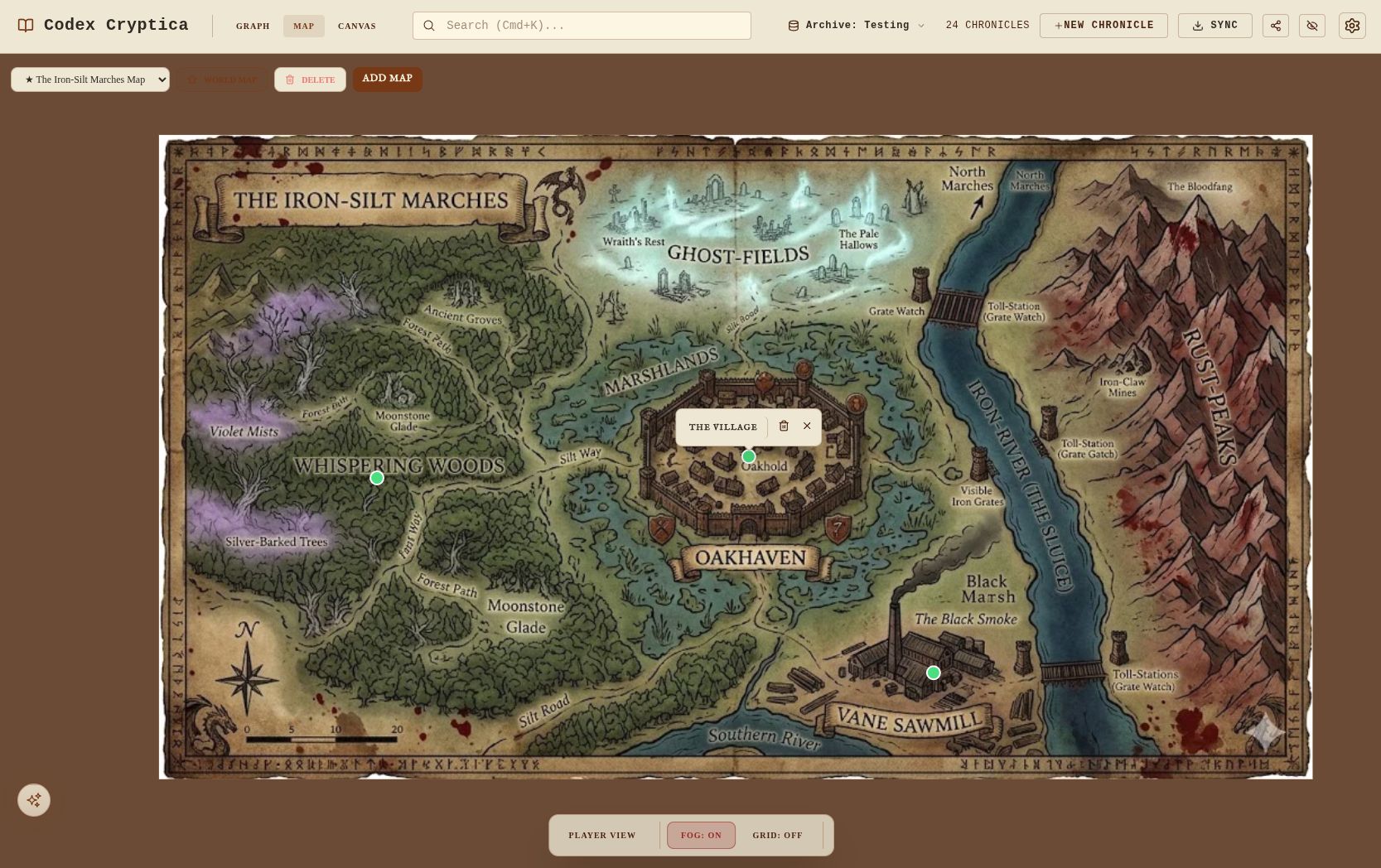
- Persistent Pins: Every pin you drop is a direct portal to an NPC, location, or item.
- Fog of War: Keep the mystery alive. Use the Alt + Drag brush to reveal the map only when your players actually explore an area.
- Deep Diving: You can attach sub-maps to entities. Click a "City" pin to dive into a street-level map, then click a "Tavern" pin to see the floor plan.
2. The Knowledge Graph: Visualizing the Web
The Graph View reveals the "connective tissue" of your campaign. It ignores geography to focus on the logical web of your story.
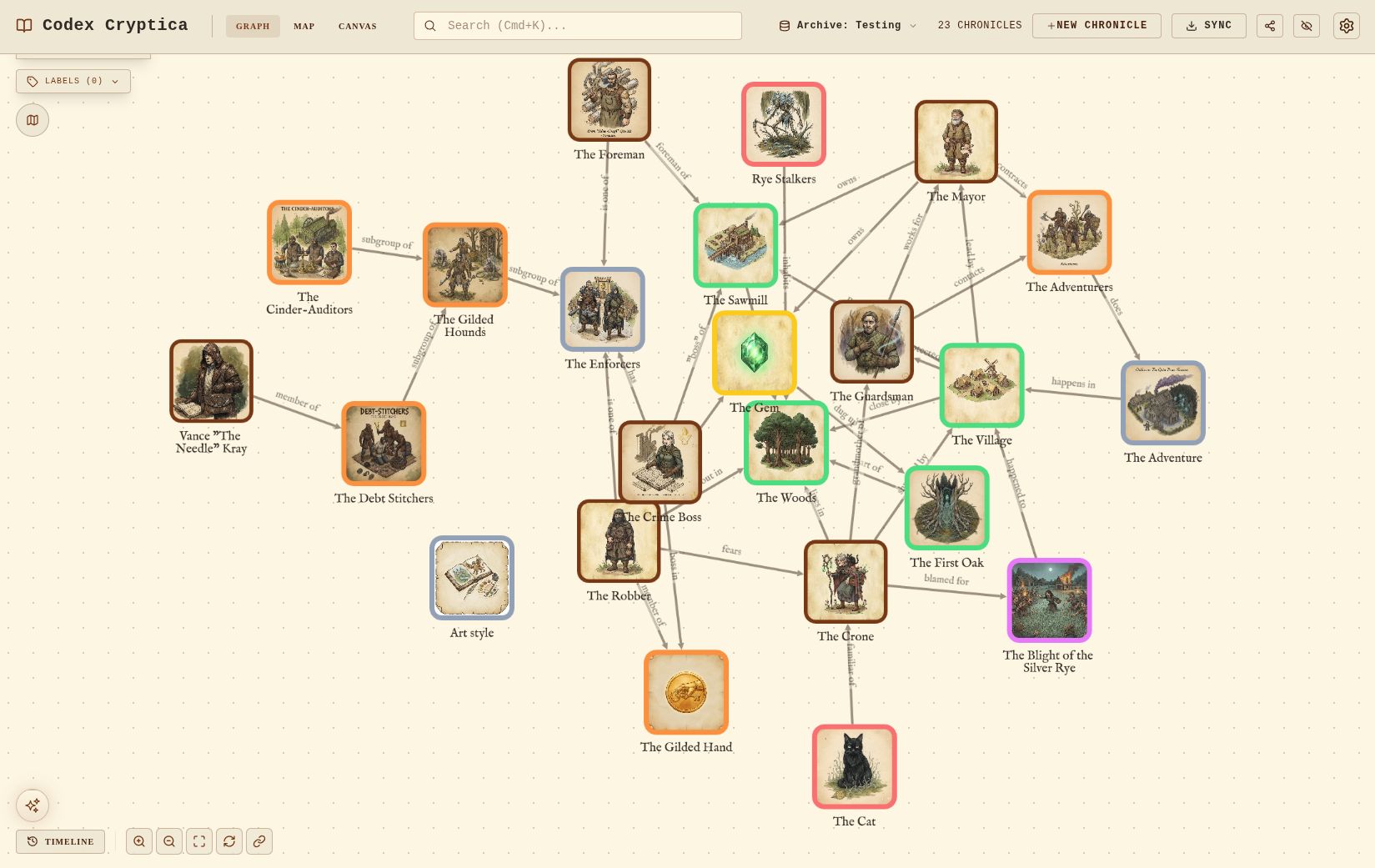
- Automatic Linking: You don't have to draw lines manually. Every time you mention an NPC in your notes, Codex automatically draws a connection on the graph.
- Smart Layouts: Powered by Cytoscape (a high-end data engine), your notes snap into place, helping you spot secret alliances or "orphan" plot points you might have forgotten.
- Time Travel: Use the timeline slider at the bottom to watch the graph grow as your campaign's history unfolds.
3. The Freeform Canvas: Your Tactical "Murder Board"
While the Graph is automated, Canvas Mode gives you total manual control. This is your digital "Cork Board."
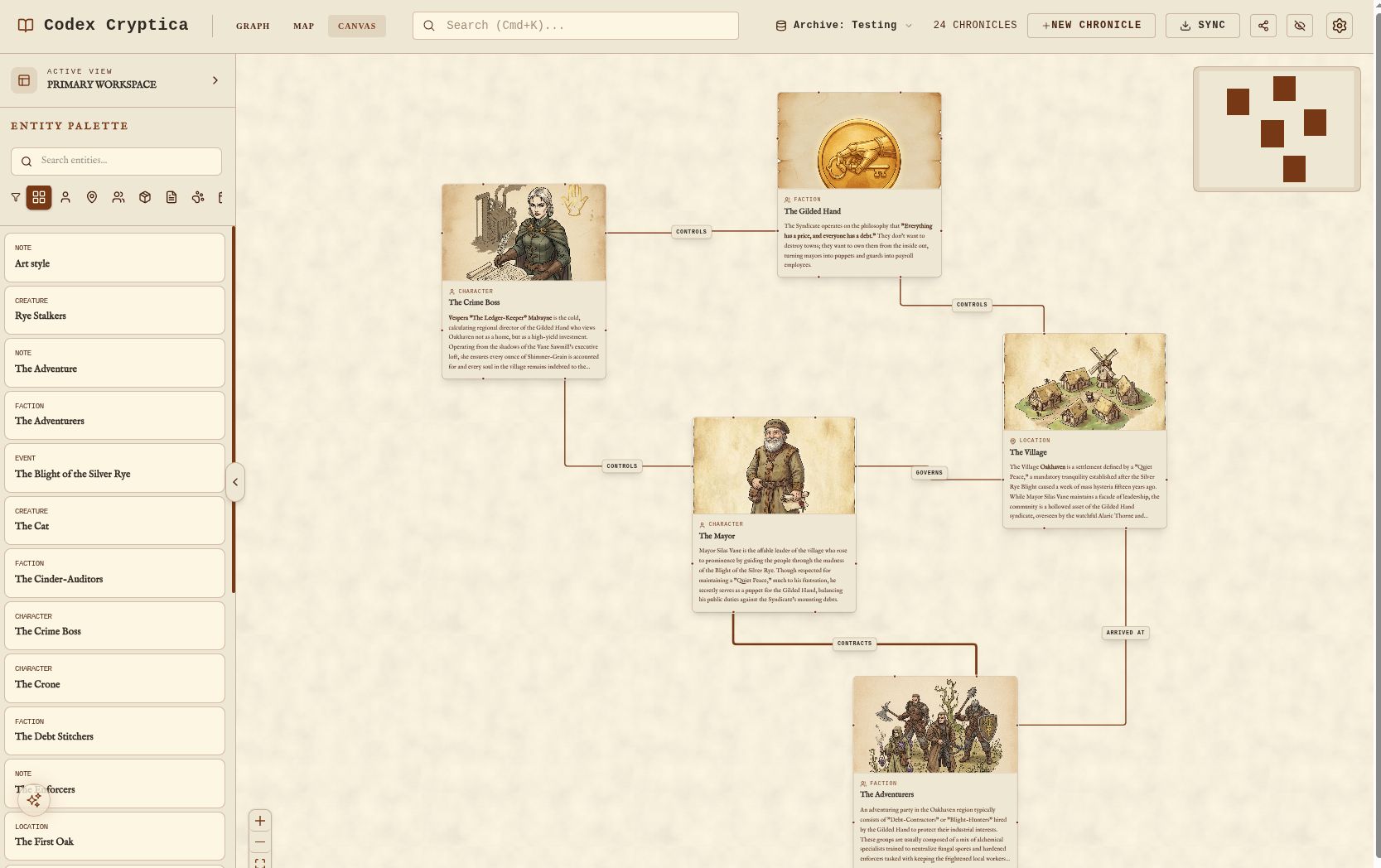
- Manual Layouts: Arrange characters and clues however you want. It’s perfect for visualizing a political hierarchy, a family tree, or a complex criminal conspiracy.
- Abstract Brainstorming: Unlike the Map, the Canvas isn't bound by geography. You can cluster entities together just to see how they look, while they remain linked to your actual archive data.
4. The Synergy: It All Stays in Sync
The real magic happens when these views "talk" to each other. Because Codex is local-first and high-performance, the sync is instantaneous.
- Update Once, See Everywhere: Edit a character's description in the Map side-panel, and that change is immediately live in the Graph and the Canvas.
- Finding Your Way: Clicking a node in your graph can "ping" its location on the map, helping you visualize the physical reach of a faction or the spread of a rumor.
- Keyboard-First Building: Use the /connect command to link people while you're looking at a map, and watch the Graph update in the background without you ever leaving the screen.
5. Why This Changes Your Prep
Most tools force you to choose one way to look at your data. Codex Cryptica lets you use all three. By seeing your world geographically, relationally, and strategically, you can spot plot holes before your players do and build a world that feels truly consistent.
Ready to see your world in 4D?
Want to see more? Check out our original showcase on Patreon.
See our Guide to Data Sovereignty to learn how we keep this data 100% private.